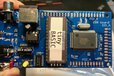
Fully assembled z80 single board computer will bring you wonderful (and ancient) tiny BASIC WORLD
Designed by microwavemont in Japan

This product is no longer available for sale.
The seller may be offering an improved version or it may be hanging out on the beach, enjoying the retired life.

What is it? This is a reproduction version of my previous Z80 single board computer. Now the PCB is re-designed by my recent experience. This is a fully assembled and all-in-one Z80 Single board comp…
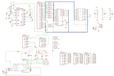
Read More…This is a reproduction version of my previous Z80 single board computer. Now the PCB is re-designed by my recent experience. This is a fully assembled and all-in-one Z80 Single board computer supporting video out (NTSC) and keyboard input (PS/2). Main MCU is TOSHIBA TMP84C015, which contains Z80 CPU, Z80-CGC, Z80-CTC, two Z80-SIOs, two Z80-PIOs. All of the internal functions can be activated through Z80 programming (needs another firmware because the current tiny BASIC does not support it.) and on board terminal. CAUTION: Video supports NTSC only (no support for PAL or SECAM). Keyboard layout is US101 (EN). As an initial firmware, tiny BASIC is written in ancient 16kB UV EP-ROM (28128). For more details (bus connection to TMPZ84C015), please refer the schematic attached in the "data sheet" section at the bottom of this page.
After finishing this product, I have, indeed, plenty of accumulated requests for reproduction. Fortunately now I have more experience with PCB design compared to two years ago and I decided to make it again!
Z80 is surely ancient, but 8bit technology is the basis of all modern computing. This item will be suitable for "just want to enjoy an old environment" in addition to power 8bit users. Everyone can enjoy 8-bit world!
PS/2 keyboard (US101(106) layout). This board is somewhat selective with keyboards. If your keyboard does not work, please try another one.
5V DC center plus AC-DC converter (or power supply) . 2A current supply is great enough.
Video screen output supports NTSC only. PAL/SECAM are NOT supported.
How to use?
Just plug in power and turn SW-ON, and push yellow reset SW. If something does not work well (for example, no response from keyboard), power ON-OFF-ON cycle with RESET will solve the issue.
Product: (5.00)
Documentation: (5.00)
Shipping: (5.00)
Communication: (5.00)
Jim | March 22, 2019
$450.00
Free Shipping!
$64.95
Free Shipping!
$25.00
Free Shipping!
$375.00
Free Shipping!
By clicking Register, you confirm that you accept our Terms & Conditions
We recognize our top users by making them a Tindarian. Tindarians have access to secret & unreleased features.
We look for the most active & best members of the Tindie community, and invite them to join. There isn't a selection process or form to fill out. The only way to become a Tindarian is by being a nice & active member of the Tindie community!