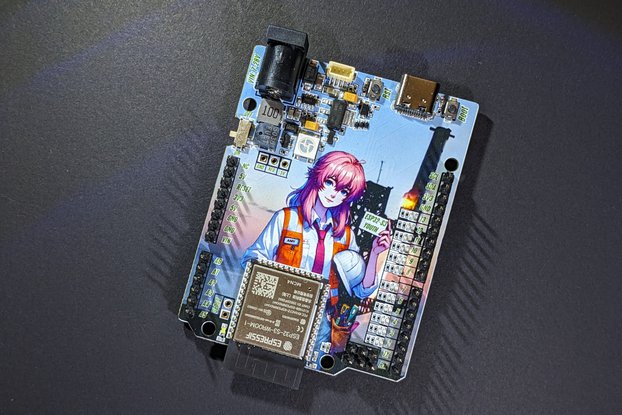
ESP32-PICO-D4 got his eye! All-in-one ESP32-PICO board with CMOS Camera OV7725 or OV2640!
Designed by microwavemont in Japan

This product is no longer available for sale.
The seller may be offering an improved version or it may be hanging out on the beach, enjoying the retired life.

Notes before your order: This item requires programming environment (esp-idf) and fundamental knowledge of ESP32. It is not difficult but SSID and password are hard-coded and this board will NOT work…
Read More…Notes before your order: This item requires programming environment (esp-idf) and fundamental knowledge of ESP32. It is not difficult but SSID and password are hard-coded and this board will NOT work like "just delivered, and open package and connect power supply" We can find lots IP-CAM in market and if you just want to get IP-CAM, another commercial product is far better choice for you. This board is intended not just for"getting IP-CAM" but "getting knowledge and new and interesting experience of ESP32". Again, if you don't need any experience of ESP32 nor programming experience, this is NOT suitable for you.
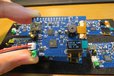
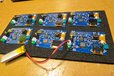
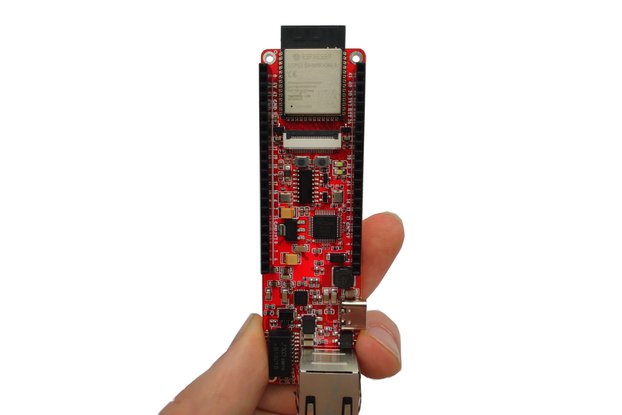
All-in-one ESP32-PICO board with CMOS Camera OV2640 2-Mega pixel cam or OV7725. Taken snapshot (or video streaming) can be confirmed through WiFi.
As far as I know, no product of ESP32-PICO with Camera, so I made one.
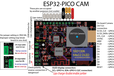
Driven by latest Espresso's chip ESP32-PICO-D4, all-in-one chip ESP32 with WiFi/Bluetooth capability.
OV7725 CMOS Camara or OV2640 CMOS Camera are selectable on ordering. OV7725 is a night-vision improved version of well-known and popular OV7670, and OV2640 is 2MP CMOS Camera, suitable for video streaming.
64x32 SSD1306 OLED is on-board and connected through I2C. Tiny display will show you DHCP assigned IP address and camera type
Lipo charger is on-board. Charger can be disabled (USB-bus power operation) by on-board jumper.
Sample program is uploaded to my GitHub account (added OLED IP-address indicator support to original igrr's version).
OV7725 case: Just accessing "http://IPaddress/pgm" (for example, http://192.168.1.2/pgm) will show you snapshot image by pgm format.
OV2640 case: Just accessing "http://IPaddress/stream" (for example, http://192.168.1.2/stream) by proper MJPEG (motion JPEG) receiving software will show you video stream. I've confirmed video operation by "IP Camera Viewer 2" on OSX but similar software should work. Just one snapshot can be taken by "http://IPaddress/get" (for example, http://192.168.1.2/get) by any web browser.
Operation confirmed MJPEG video player: iOS "IP Camera Lite" free version, OSX: IP Camera Viewer 2
Currently, SSID/Password is hardcoded (need to write on making binary). This board is suitable for some experienced ESP32 users (not "my first ESP32").
By clicking Register, you confirm that you accept our Terms & Conditions
We recognize our top users by making them a Tindarian. Tindarians have access to secret & unreleased features.
We look for the most active & best members of the Tindie community, and invite them to join. There isn't a selection process or form to fill out. The only way to become a Tindarian is by being a nice & active member of the Tindie community!