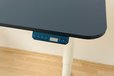
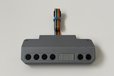
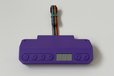
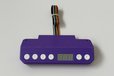
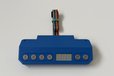
The second version of a sophisticated remote control for your IKEA BEKANT desk
Designed by mgkoenig in Austria
Buy with confidence.
Our Tindie Guarantee protects your purchase from fraud. Learn More

LYFT mk2 is the successor of the famous LYFT remote control for your electric height-adjustable Ikea Bekant desk. For the second version, both the hardware and the software were completely redesigned…
Read More…LYFT mk2 is the successor of the famous LYFT remote control for your electric height-adjustable Ikea Bekant desk. For the second version, both the hardware and the software were completely redesigned. In the process, both components were improved based on important insights gained from the first version.
The most important feature, however, is the ability to customize the remote control to suit your individual needs. Thanks to the new design, it is now possible to equip the built-in ESP module (running MicroPython) with your own software and adapt it to your personal preferences.
Feel free to customize the features of this remote control (and your desk) to suit your individual needs. All you need is a USB cable to connect to the module. Endless possibilities for new interactions with your desk are now open to you. Have the desk move to a specific position depending on the time of day, control it via a web interface, or connect it to your smartphone with a new app. All this and much more is possible with the new generation.
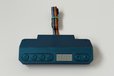
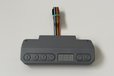
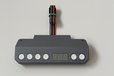
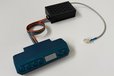
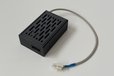
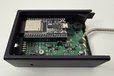
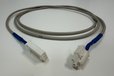
Each unit consists of two components: the processing unit and the control panel respectively. These two parts are always shipped together.
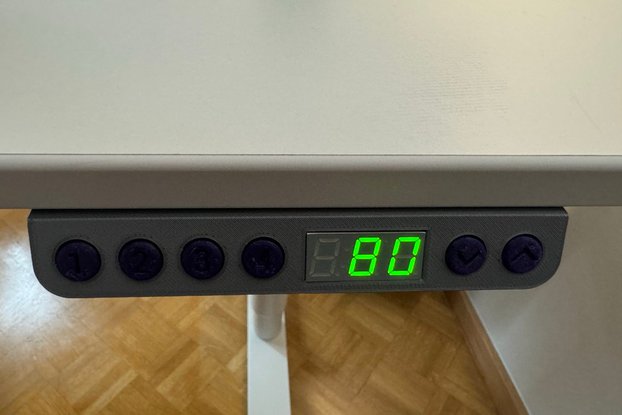
The display allows you to read the current desk height - either in centimeters or inches, just as you like. To make it more comfortable you can also adjust the display brightness as well as the duration of the screen time. The level offset allows you to correct the height reading if it deviates from the actual value by a few centimeters.
You can save up to four different desk positions and access them easily using the memory buttons. The saved desk positions are moved to automatically. It is not necessary to keep a button pressed until the position is reached.
The most important basic settings (like display brightness, sound en/disable, ...) can be configured directly via the panel using the settings menu.
By creating and using the first version of LYFT, more and more ideas gradually came to me on how to further expand and improve the functionality of the desk. Above all, integrating it with other devices (such as a web interface, an app, or Home Assistant) was particularly appealing to me. Using an ESP module opens up all these possibilities and many more.
No country selected, please select your country to see shipping options.
No rates are available for shipping to .
Enter your email address if you'd like to be notified when LYFT mk2 can be shipped to you:
Thanks! We'll let you know when the seller adds shipping rates for your country.
| Shipping Rate | Tracked | Ships From | First Item | Additional Items |
|---|---|---|---|---|
|
:
|
Buy with confidence.
Our Tindie Guarantee protects your purchase from fraud. Learn More
By clicking Register, you confirm that you accept our Terms & Conditions
We recognize our top users by making them a Tindarian. Tindarians have access to secret & unreleased features.
We look for the most active & best members of the Tindie community, and invite them to join. There isn't a selection process or form to fill out. The only way to become a Tindarian is by being a nice & active member of the Tindie community!