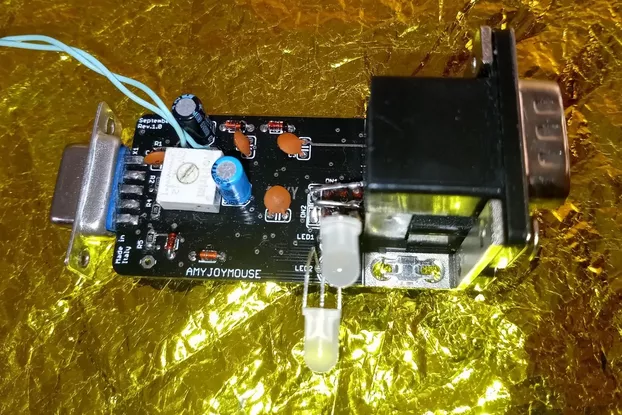
Commodore PET1541 IEC Drive Adapter for PET/CBM 4016/4032/8032/8096-SK/8296
Designed by Jaystonian's Retro Shop in Canada
Buy with confidence.
Our Tindie Guarantee protects your purchase from fraud. Learn More
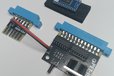
Connect one IEC-compatible drive to your PET/CBM 4016/4032/8032/8096/8096-SK/8296, made easy! Commodore 1541, 1571, 1581, or 1581-gotek, SD2IEC, Pi1541 etc, are all compatible devices. Can be used …
Read More…Connect one IEC-compatible drive to your PET/CBM 4016/4032/8032/8096/8096-SK/8296, made easy! Commodore 1541, 1571, 1581, or 1581-gotek, SD2IEC, Pi1541 etc, are all compatible devices. Can be used for saving and loading programs, listing directory (non-destructive) or displaying drive status. The new IEC port selects Device #8, which does not interfere with your IEEE-488 device 8. It cannot replace an IEEE-488 drive when it comes to accessing files (SEQ or SER) or saving via standard software. The ROM provides non-standard commands in BASIC to access the IEC device.
Design is based on Sven Petersen's recreation of device of unknown origin. This design includes a "Wurth 824015" high-speed Transient Voltage Suppressor to protect IEC signals, as well as a VTVS5V0ASMF diode to protect 5V. Power is routed from the Cassette Port with a pass-through connector. Includes ROM chip, configurable for 40 column or 80 column machines, which also includes MicroMon! Also includes a reset button to manually reset the IEC bus. SN74LS04N and SN7406N chips are socketed for easy replacement if ever necessary.
By default without any switches, the ROM selects PET1541 image. Configuring 40/80 mode is required for the correct MicroMon version.
Micromon started as Extramon which is an extended machine language monitor for the TIM monitor in the PET. Extramon was originally written by Bill Seiler. It is for Upgrade BASIC and BASIC4.
1 - GND
2 - 40/80 mode
3 - PET1541 mode / MicroMon
4 - enable / disable ROM completely
5 - ignored
6 - ignored
1) If your system is 80-columns, and you want to use MicroMon, cut a short length of wire and bend into a U shape, insert to connect holes #1 and #2. This selects the 40/80 mode, only applicable to MicroMon.
2) Plan where to place one or two switches externally, or utilize a WiFi-based control system.
3) Cut lengths of wire to traverse the distance from your switches to socket UD11.
4) Then wire a SPST switch to #3 and #1, to be able to ground #3 for MicroMon mode.
5) You may optionally wire a second SPST switch to #4 and #1 (or branch ground from switch to switch instead of a 2nd ground connection) to disable the ROM completely.
6) Place ROM into UD11 socket while system is powered off.
SYS40960 enables the ROM code, provided the switch is configured to select the PET1541 ROM.
Further information available at https://github.com/svenpetersen1965/PET_CBM_1541_Adapter/blob/main/Rev.%200/pdf/PET_1541_Ada_v0.pdf
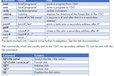
• each instruction starts with '!'
• there are a couple of floppy disk related instructions, that have an alternative representation in the EPROM
• a !q will deactivate/quite the software
• a !@ will display the status of the 1541
• a !@"command" will send a command to the 1541
• No device number (,8) is required for any of the instructions
• The instructions are mostly standard BASIC4 instructions and can be short-cut as usually
SYS40960 enables the ROM code, provided the switch is configured to select the MicroMon ROM.
MicroMon information is available at https://www.atarimagazines.com/compute/issue20/191_1_MICROMON.php
This comes from COMPUTE! ISSUE 20 / JANUARY 1982 / PAGE 160
$A000 ROM was sourced from https://www.zimmers.net/anonftp/pub/cbm/firmware/computers/pet/other/index.html
micromon40-plus-a000.bin and micromon80-ud11-a000.bin
No country selected, please select your country to see shipping options.
No rates are available for shipping to .
Enter your email address if you'd like to be notified when Commodore PET1541 IEC Drive Adapter can be shipped to you:
Thanks! We'll let you know when the seller adds shipping rates for your country.
| Shipping Rate | Tracked | Ships From | First Item | Additional Items |
|---|---|---|---|---|
|
:
|
Buy with confidence.
Our Tindie Guarantee protects your purchase from fraud. Learn More
$29.99
Free Shipping!
$49.99
Free Shipping!
$24.99
Free Shipping!
$32.99
Free Shipping!
$19.99
Free Shipping!
$134.99
Free Shipping!
$34.99
Free Shipping!
$29.99
Free Shipping!
$29.99
Free Shipping!
$235.00
Free Shipping!
$74.95
Free Shipping!
$42.88
Free Shipping!
By clicking Register, you confirm that you accept our Terms & Conditions
We recognize our top users by making them a Tindarian. Tindarians have access to secret & unreleased features.
We look for the most active & best members of the Tindie community, and invite them to join. There isn't a selection process or form to fill out. The only way to become a Tindarian is by being a nice & active member of the Tindie community!