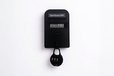
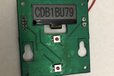
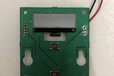
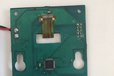
Low-cost Device that displays a manually updated Wi-Fi password, helping cafés easily manage customer access without expensive systems.
What is it?
A compact device that displays the current Wi-Fi password for customers in public spaces such as cafés, restaurants, coworking spaces, and waiting areas.
Why did I make it?
Business owne…
A compact device that displays the current Wi-Fi password for customers in public spaces such as cafés, restaurants, coworking spaces, and waiting areas.
Why did I make it?
Business owners want to provide Wi-Fi access to paying customers — not to people outside or previous visitors.
Most existing solutions are either:
Too complex (captive portals, subscriptions, POS integrations)
Too expensive
Inconvenient for staff
Or easy to share and misuse
This device offers a simpler alternative.
What makes it special?
Very affordable
No subscription
No cloud system
No router modification
Extremely simple to use
Designed specifically for small businesses
Product Description
In many cafés and public spaces, Wi-Fi passwords are written on boards, printed on receipts, or repeatedly given verbally by staff. These methods are inconvenient and allow passwords to spread beyond current customers.
This device provides a clear and controlled way to share Wi-Fi access.
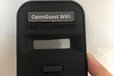
It uses a small LCD screen to display the active Wi-Fi password. A dedicated area on the enclosure allows you to glue a printed SSID label (50 × 10 mm), so customers can easily identify the correct network.
How it works
A staff member presses a protected button to generate a new random password.
The staff member manually updates the router with this password.
Once updated, this password — which is now the Wi-Fi password — is displayed on the device for customers.
To reduce power consumption, the password is displayed only when customers press the central button.
(Please watch the demonstration video.)
Updating the router password takes less than one minute. After doing it two or three times, staff can complete the process very quickly. Most routers allow fast password changes through a simple web interface, which can even be saved as a shortcut.
This is not a complex IT system — and that is the point.
If your goal is to provide Wi-Fi access exclusively to current customers in a simple and low-cost way, this device is a practical and effective solution.
It is especially well suited for:
Small cafés
Restaurants
Coworking spaces
Waiting rooms
Small public businesses
Installation Notes
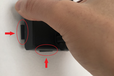
To mount the enclosure properly:
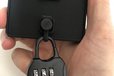
Align the lower edge of the wall-mounting piece with the lower edge of the enclosure.
Align the left and right sides.
Slide the enclosure slightly downward to secure it.
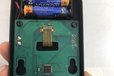
The PCB holes will align automatically with the wall-mount features.
Please refer to the final photo and video for guidance.
SSID Label
A 50 × 10 mm rounded rectangle is provided on the enclosure for the Wi-Fi network name.
A Word document template (black and white versions) is attached below. Just click on “Datasheet” to download it. Open the file, then simply enter the SSID, print it, cut it out, and glue it onto the enclosure.
By clicking Register, you confirm that you accept our Terms & Conditions
What is a Tindarian?
We recognize our top users by making them a Tindarian. Tindarians have access to secret & unreleased features.
How does one become a Tindarian?
We look for the most active & best members of the Tindie community, and invite them to join. There isn't a selection process or form to fill out. The only way to become a Tindarian is by being a nice & active member of the Tindie community!

/i/852783/products/2026-02-25T16%3A23%3A25.742Z-e0bf9161b17f4c8f863f4c24afe29f92_992x992.jpg?1772007897)