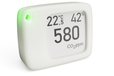
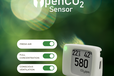
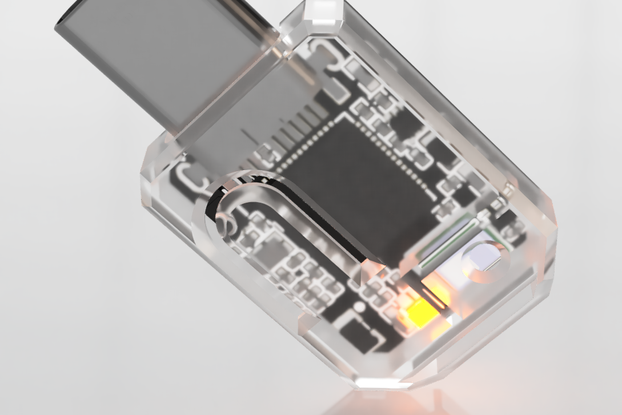
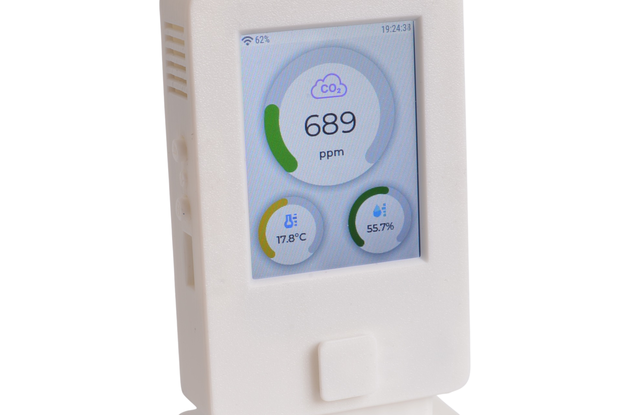
OpenCO2 Sensor is a portable Indoor Air Quality / CO2 Monitor including E-Ink Display, WiFi, RGB LED, ESP32-S2 open-source and forsmart home
Designed by OpenCO2 in Germany
Buy with confidence.
Our Tindie Guarantee protects your purchase from fraud. Learn More

Open CO2 Sensor using ESP32 and SCD40 OpenCO2 Sensor is an open-source indoor air quality sensor made in Germany. Measurements are displayed via an E-Ink display, RGB LED in traffic light colors, or …
Read More…OpenCO2 Sensor is an open-source indoor air quality sensor made in Germany. Measurements are displayed via an E-Ink display, RGB LED in traffic light colors, or Wi-Fi, e.g., to Home Assistant. The Arduino code for the ESP32-S2 and Sensirion SCD40 is available in full on GitHub.
Especially in winter, when windows remain closed, a reminder to ventilate regularly is helpful for health, comfort, and well-being. Poor indoor air quality can lead to lower productivity and learning difficulties. This open-source project helps you keep an eye on this at all times using the E-Ink display and LED. Take the small sensor with you wherever you go to monitor air quality – the battery life is up to 11 weeks.
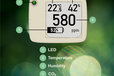
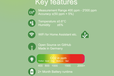
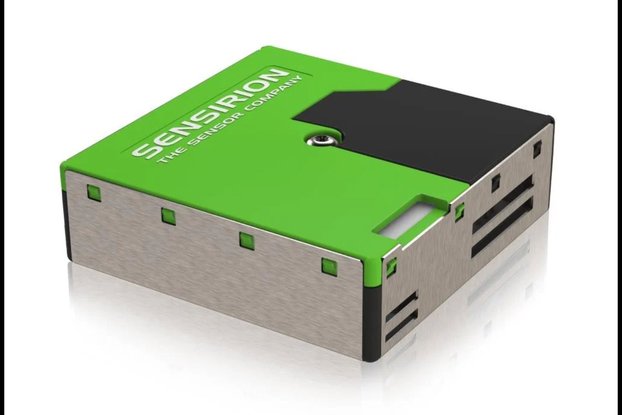
Based on the SCD40 from Sensirion, a completely new, miniaturized CO₂ sensor with photoacoustic measurement principle. The integrated, industry-leading humidity and temperature sensor delivers high accuracy with low energy consumption.
Automatic self-calibration ensures maximum long-term stability. CO₂ measuring range: 400 ppm – 40,000 ppm
Accuracy: CO₂: ±(50 ppm + 5% of measured value) Temperature: ±0.8 °C Humidity: ±6%
1.54" in size with high resolution (200×200 pixels). Enables low power consumption and a wide viewing angle. Display refreshes every 5 seconds (approx. every 30 seconds in battery mode).
For displaying air quality as a traffic light (green, yellow, red, magenta). Brightness and color are adjustable via software.
Add this configuration to your Home Assistant's configuration.yaml. Please replace OpenCO2 with the IP address if necessary.
Size: 3.8 × 4.9 × 2 cm 3D model
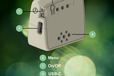
Press the menu button on the back of the OpenCO2 sensor. Select an option by pressing and holding (1+ sec.), move to the next item by pressing briefly.
The following settings are available: LED: Color, brightness, and activation time Display: Battery charge to ~80% for longevity, invert, change temperature unit, language, and font Calibration: Place sensor outside for 3+ minutes (only necessary if required) History: display up to 24 hours of CO₂, temperature, and humidity as a graph; export values via QR codes (1-hour CO₂ measurements) Wi-Fi: enable/disable Wi-Fi Info: shows MAC, serial numbers, uptime, version, and battery status Fun: little Easter eggs
Enable Wi-Fi via the menu. When connected to power, an access point called OpenCO2 Sensor will open. Connect to it and go to http://192.168.4.1 (smartphones open it automatically). There: Select “Configure WiFi” Select network name from list. Enter password & Save. The sensor will now connect automatically. You can view CO₂, temperature, and humidity graphs on the local website openco2:9925.
After connecting to your network, you can find the sensor IP in the router or in the OpenCO2 Sensor menu under Info.
Download the latest version of FIRMWARE.BIN Connect the USB-C data cable. Restart the sensor using the switch on the side. Copy FIRMWARE.BIN to the USB drive
No country selected, please select your country to see shipping options.
No rates are available for shipping to .
Enter your email address if you'd like to be notified when Open CO2 Sensor can be shipped to you:
Thanks! We'll let you know when the seller adds shipping rates for your country.
| Shipping Rate | Tracked | Ships From | First Item | Additional Items |
|---|---|---|---|---|
|
:
|
| Quantity | Price |
|---|---|
| 1-2 | $99.90 |
| 3+ | $89.95 |
Product: (4.91)
Documentation: (4.82)
Shipping: (5.00)
Communication: (5.00)
Joe | Aug. 30, 2025
Martynas | April 29, 2025
Giacomo | April 7, 2025
Yifei | Sept. 6, 2024
Cees | Jan. 12, 2024
Christoph | Sept. 22, 2023
Rodger | May 16, 2023
Philipp | May 11, 2023
Alexander | March 12, 2023
Flavio | Feb. 2, 2023
Michael | Jan. 28, 2023
Buy with confidence.
Our Tindie Guarantee protects your purchase from fraud. Learn More
$49.95
Free Shipping!
$45.00
Free Shipping!
$99.00
Free Shipping!
$145.95
Free Shipping!
By clicking Register, you confirm that you accept our Terms & Conditions
We recognize our top users by making them a Tindarian. Tindarians have access to secret & unreleased features.
We look for the most active & best members of the Tindie community, and invite them to join. There isn't a selection process or form to fill out. The only way to become a Tindarian is by being a nice & active member of the Tindie community!